
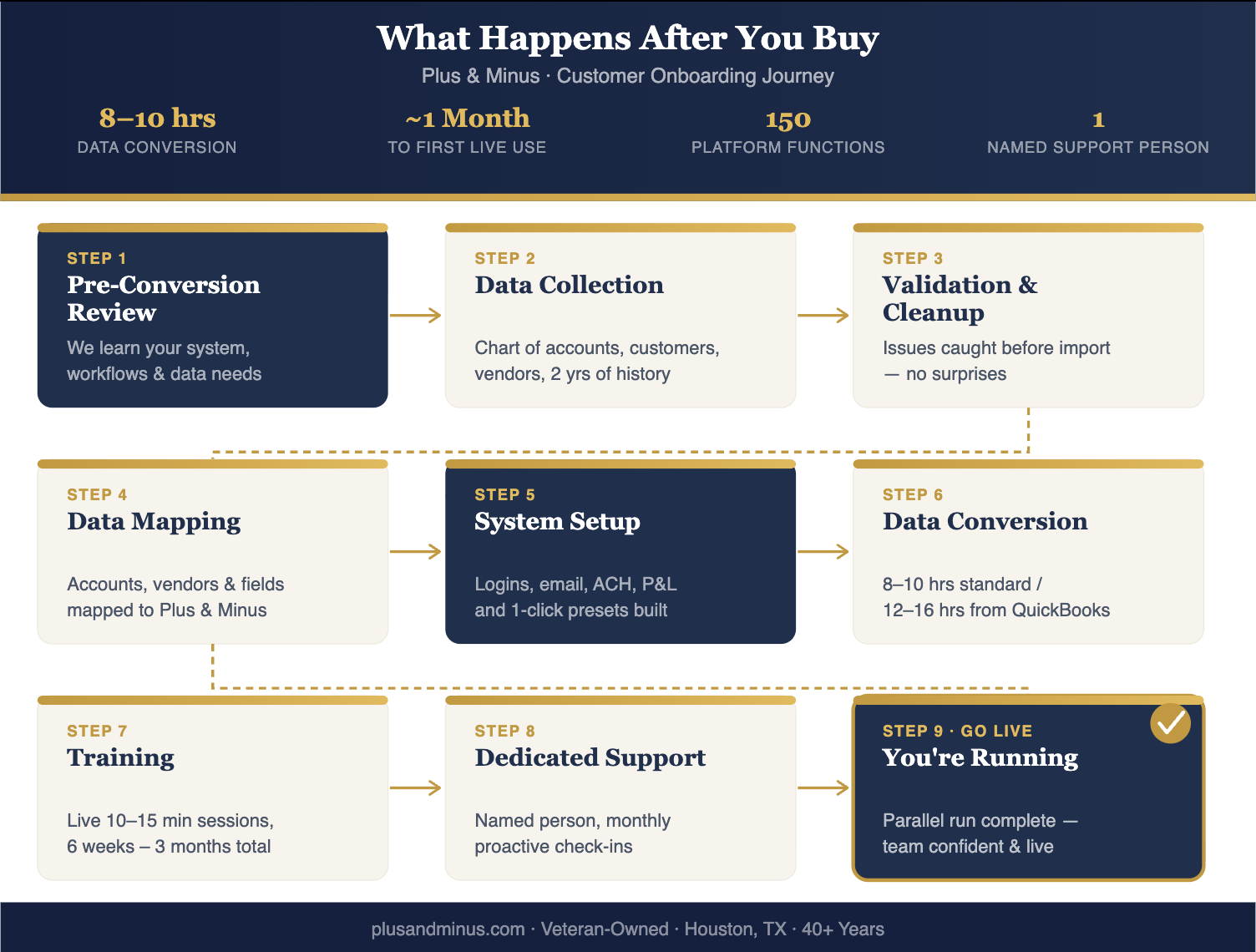
What Happens After You Buy
Switching to Plus & Minus is a structured, guided process designed for accuracy, continuity, and a smooth transition — with a real person on your side from day one.Pre-Conversion Review
Before any data is exchanged, we meet with your team to understand how your current system is being used. This includes:
- Your accounting structure and reporting requirements
- Multi-entity considerations
- Any custom workflows or recurring transactions
- Inventory, payroll, or industry-specific processes
- Known data issues or cleanup needs
What We Need From You (Data Collection)
To get your account configured, Plus & Minus will gather the following from your organization:
- Chart of Accounts
- Banking information
- Customer list
- Inventory items
- Vendor list
- Employee information (payroll)
- Up to two years of historical financial transactions (if exportable to Excel)
- Any additional entity data (one day of conversion time per entity)
Data Validation & Cleanup
Once your exports are received, we review them for:
- Completeness and accuracy
- Account structure issues
- Duplicate or inactive customers/vendors
- Missing or inconsistent fields
- Date-range gaps in historical transactions
Historical Data Mapping
We map your data elements to the appropriate Plus & Minus fields. We handle:
- Account mapping
- Class/department mapping (if used)
- Customer and vendor field alignment
- Entity mapping for multi-company setups
This step ensures your historical data fits seamlessly into the Plus & Minus structure.
System Setup
Once we have your data, Plus & Minus configures the system specifically for your company. Setup includes:
- Account structure built from your Chart of Accounts
- Email integration configured
- Customer and vendor records imported
- ACH configuration
- User logins created for your team
- Customized P&L reporting tailored to your business
- Presets configured for regularly recurring tasks — executable with a single click
Data Conversion
Conversion time depends on your current system and the volume of data:
| Scenario | Estimated Time |
|---|---|
| Standard conversion (general) | 8–10 hours |
| Conversion from QuickBooks | 12–16 hours (QuickBooks structure requires additional mapping) |
| Per entity (multi-entity companies) | ~1 business day per entity |
| Typical data range | Last 2 years of financial transactions |
Data we convert includes customers, vendors, inventory, bank accounts, email addresses, and historical financial transactions. We also support multiple payroll setups and currently handle customers with 2,500 invoices a day.
Training
- Hands-on, live training sessions — typically 2–3 phone calls per day, usually 5–10 minutes each
- Our online help system and tutorials are accessible at any time
- Training sessions for daily, weekly, and monthly workflows
- Review of presets and recurring tasks as necessary
- Guidance on best practices for your industry
- Real-time support as necessary
| Team Size / Complexity | Estimated Training Duration |
|---|---|
| Smaller teams (e.g., 4-person system) | Approximately 6 weeks |
| Larger or more complex organizations | Up to 3 months |
| Parallel run period (before full cutover) | Approximately 1 week for a 4-person setup |
- The full system — Plus & Minus has 150 functions
- Annual reporting tasks (we walk you through the first time)
- Your specific preset tasks and workflows
- How to add data retroactively and into the future
- Deadline-driven accounting tasks
Call frequency drops off dramatically after the first few weeks as your team gains confidence.
Dedicated Support
Named Support Person
One dedicated contact assigned to your account — not a ticket queue.
Business Hours Access
Reach your support person directly during business hours. Coverage provided if they're unavailable.
Proactive Check-Ins
If we don't hear from you monthly, we will call you. We don't wait for problems to surface.
Ongoing Enhancements
System improvements can be made at any time based on your feedback and evolving needs.
- Your support person handles basic training questions directly
- After 3 months, we shift to periodic check-ins
- Our pricing model allows a genuine one-on-one relationship with every customer
Onboarding Timeline at a Glance
| Phase | Typical Duration |
|---|---|
| Data collection & conversion | 8–10 hours (standard) / 12–16 hours (from QuickBooks) |
| System setup & login creation | Included in setup |
| Parallel run period | ~1 month (small teams) |
| Active training | 6 weeks – 3 months |
| Steady-state support (check-ins) | Ongoing after 3 months |
Frequently Asked Questions
Common questions from companies evaluating a switch to new accounting software.
Ready to See It in Action?
Book a demo with Tim and walk through exactly how Plus & Minus would work for your company — including what your onboarding would look like.